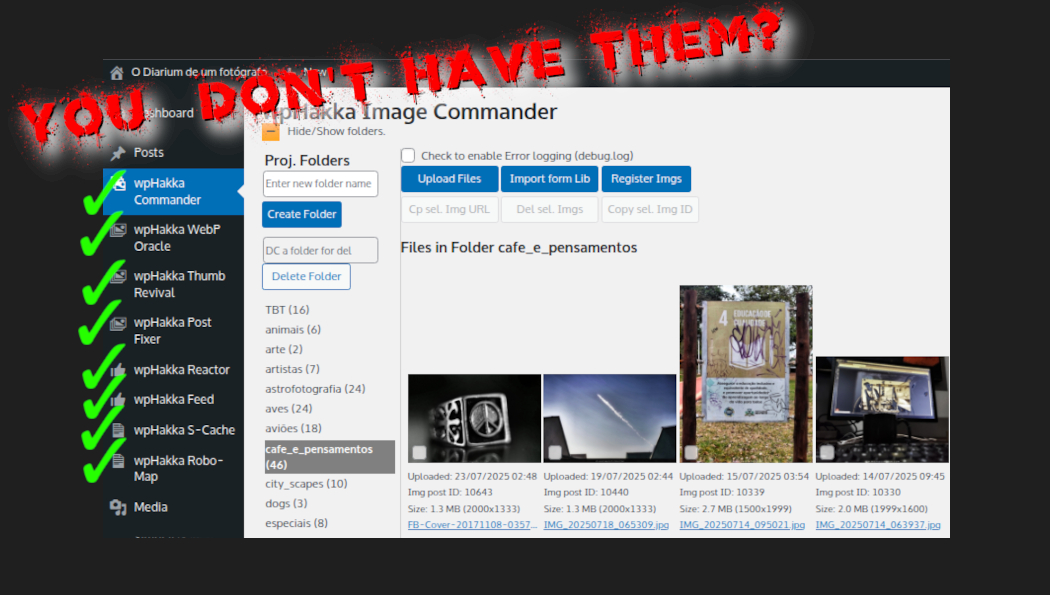
a complete set of wpHakka plugins is a subsystem to make wordpress great again, I know, it’s a stolen slogan, but know what? this one works . . . flawless.
Key Points: – Commander, an autonomous image upload system with real folders tames wp’s native disorder – IIBI-3R, a post creator which will make you say wow with an extra large ooooooo in the middle – The hakka FEED, an uncomplicated but complete Latest Posts Page creator which will make the others cry and your visitors will always come back just to see the beautiful neat layout
Best of All . . . no nagging paid upgrades, no hidden features, no silent system configurations, no third party dependencies, works with native Twenty-any block themes giving them high functionality and easy to use features wp had only dreamed of, NO Editor requirements, works perfect and easy with wp’s native guteberg block editor
ON TOP OF IT: you never need anything else because our upgrade support is lifetime and free, buy it once and forget it
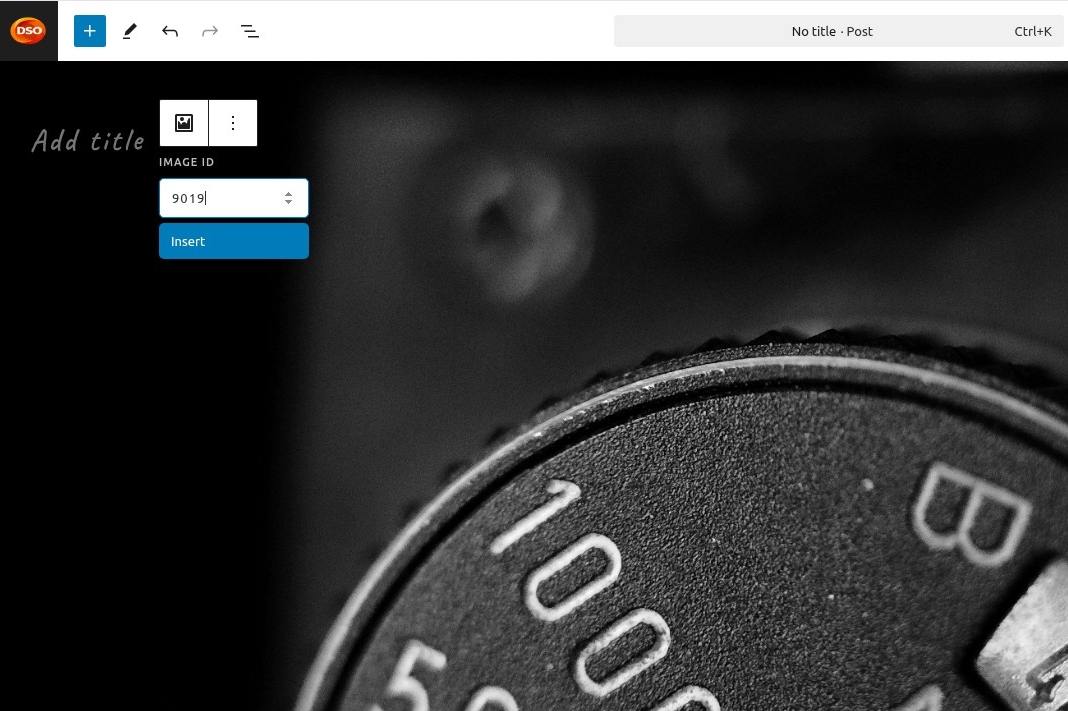
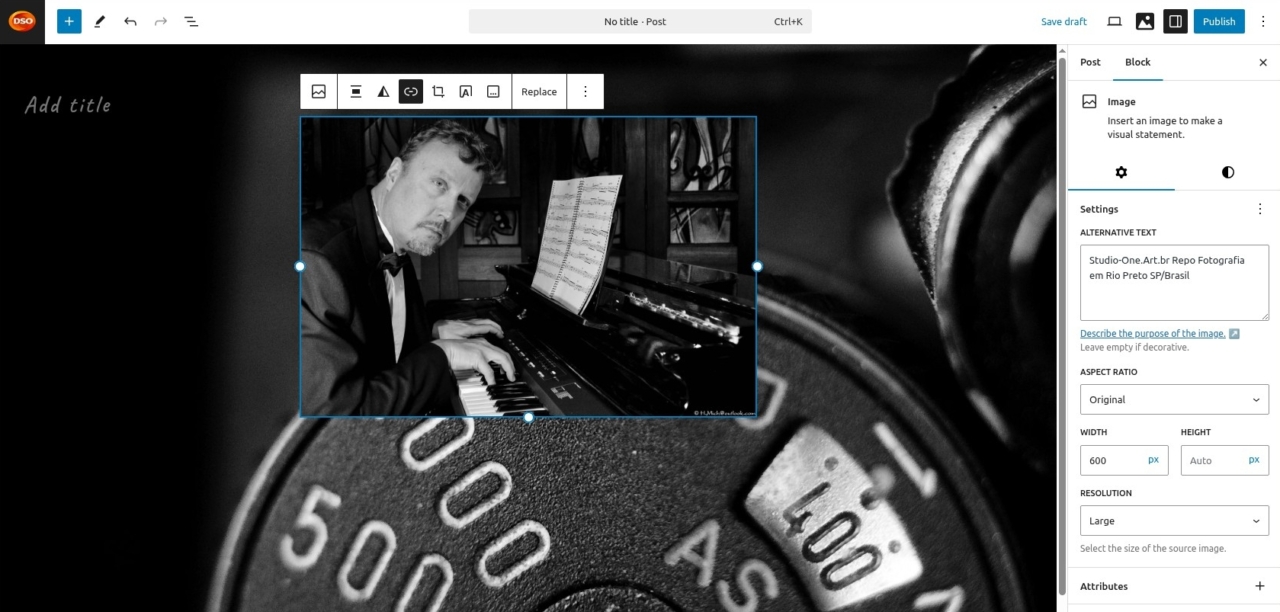
a glimp . . . check any image from the library, hit copy image id, automatically the new post template opens, click the +, check the 3R box, paste the image id and confirm . . . badaaam . . . your image appears in the first row and has already two other rows with single column in it . . .
in its basic settings you define once from IIBI-3R adm page for image width, alignment, padding and AltTxt . . .
to get a post published now it is a two minutes operation! even if when you’re a slow writer, you get a new well designed post online with image and featured image already set in a flash
how many times you wanted to kill the wp-devs, burn down your site or do any other wild thing to the people who gave you this fugging gutenberg editor . . . it’s over now, realax , we tamed the beast . . .
get it and go blogging as you always wanted to . . .
all talk about, but nobody tells the truth, they invent whatever it is to sell their illusions . . .
there is no better motivation than the own success in whatever you do, set your goal, go after it and don’t give up until getting there, that’s motivation . . .
everything else is just a dream and throws you down into the frustration manhole . . .
that’s the only way to start believing in yourself, understanding your capacity and discovering that you don’t need anybody . . .
success starts with not believing anybody and doubting everything, get yourself a shuffle and start digging for the truth . . .
that is victory, you just won against yourself, you just trashed your insecurity, you stepped up against everything within your existence what always said no, impossible . . .
as in this poem whoever wrote it: no better victory than over yourself !
it was just “making a website” and became an odyssey beyond hades’ darkest sides where wordpress devs gather to write mystic nested php methods and worship json entities . . .
then the rest api gods appeared and marked the boundaries so that simple human programmers never could come close again, people started sweating blood and starved with hard core coffee mugs in hands while praying for medusa coming down to fossilize their brain pains . . .
we keep writing this saga which probably never will end, but in a certain way it has ended already, seems everyhting is out of control . . .
because of lacking real project coordenation nobody seems to know what the others do, so they got cought in their own magic of obfuscation, they fix something somewhere and that breaks something elsewhere . . .
the vicious cycle of limited minds, same happens when you give your car to a cheaper mechanic, he might be an expert with bolts but has no clew which nuts hold them on the other side . . .
my father always said “planlos geht die Welt zugrunde” (without plan the world decays) and he was right, they believe AI will save them, but will make it worse
so what shall we do?
fixing the whole wordpress dilema, probably not worth it, fork it and crop it, then building a solid modern base, that would take time and money to get there, creating our own CMS (content managment system) focussed on a serious blog/page kind structure?
we still don’t know, but we’re thinking a lot about it, time by itself doesn’t bring solutions, just the end, so before we get there we have to do something . . .
until then, with peace in mind, we keep digging . . .
minification is eliminating excessive white space from the html page code
white spaces are more than one space between chars, tabs, new lines and empty lines, which are often quite usefull for coding practives, to make the code easy readable for the programmer
when the server compiles the code to produce the final html page, it needs to read any space and any empty line as well as any line which contains characters, but since there is nothing it just occupies cpu cicles and can result in slower processing
minification is handy specially in scenarios, like wordpress, where exist hundrets of funny spaguetti layers of css styling code, in order to compensate this stupid thing we can at least compact white spaces and give the code a little bit more dignity
we can still split the minification process into js, css and html minifying, when often css minifying is the most important and comes out whith a respectable performance enhancement
js minifying doesn’t show noticable results since there usually aren’t very much <script> blocks in the final rendered document, but can become an issue on heavy loaded sites where every single cpu cicle less can make a difference
html minifying is also a questionable part for low traffic sites, but shouldn’t be let out, it creates performance benefits, even if not directly noted, in peak hours the difference shows up
all three options are not bunker save and can cause unexpected results, happens that sometimes programmers have unusual habits in terms of how to use white spaces, simple example is a horizontal menu with space between each menut item, he might use three white spaces to focus better the available options, these spaces could be eliminated what then results in a manu bar without spaces between the options
knowing that, who opts for using minification should check all pages to be sure nothing unexpected happened, in our case, the user can report it and we check if we can prevent it with a special handling, it is not always possible and the site programmer should be consulted to provide a better coding of the affected section
a constant question which has no straight answer, should you cache your wordpress pages/posts?
what means caching pages? in modern PHP terms, all pages are build dynamically on the fly, html is static and doesn’t need any further processing, just fetching the images, that is fast . . . php by design is different, but there are at least 80% of all pages which are not exactly having dynamic content, e.g. a post, you compose it and post it, then it is there as is, seldom this content is changed, so it makes sense to cache it so that the server doesn’t need to compile the page for every single access and serve it directly as static content from cache, that is the reason that our S-Cache plugin offers caching of pages and posts, you can disable page caching if your pages are constantly changing, e.g. the home page shows the latest posts, in order to serve an always updated page you shouldn’t cache it, but the posts you should
then let’s split the line, we have to consider various aspects, there is the server performance, processing power and disk performance, then there is the client capacity and its bandwidth, then there is the code of each page, several other issues can influence the decision
a sanitized answer would be, if you want no problems, don’t cache . . . but problems are not always problems, they just need to be addressed accordingly in order not to create problems
difficulties arise by the fact that any service provider is caching, there are even special cache services for mobil devices in the middle, that is a problem, all of them are transparent cache mechanisms and there is no easy way to filter out or test them, another issue is the browser’s cache and eventual data-save-processing options
after knowing all that we can say again, there is no clear answer and you need to check it out, enable the cache service and see what comes out, don’t forget to check with several browsers, at least Chrome, Brave, Firefox should be on your list
next doubt is cache age, how long until a cached object should be refreshed? if your content doesn’t change very often you can set a high value like 28800 or even higher, that are seconds or 8 hours, 3600 would be 60 minutes . . . and the we are again at the point, there is no straight answer, you need to check it out . . .
so then, all this testing is it worth it?
again, up to you to decide, set 3600s and enable cache, test it, if it is notably faster than without cache, then you should say yes, go into fine tuning and find the best setting for your site
which hole? the hole they digged themselves into . . .
one side is, we have to admire the wp devs that they still holding it up, the other is, there is no easy way out of the maze of workarounds and unsufficient methods implemented into the core code, code documentation’s state of art is probably the worsest part
the good thing is, if you accept it as it is you don’t have to worry, occasional you get trapped into some hickups, then you hire a website developer or migrate to one of the wordpress hosting companies . . .
if not . . . you are trapped too and doomed to study core code, read a lot and be creative to find a way to make it happen, you could do what most plugin makers do, do whatever goes, wordpress is today like MMA, there are no rules, everybody creates his own and makes the whole worser as it already is, wisely wordpress comes with logging disabled and who enables it get shocked of the garbage coming from the savage plugins . . .
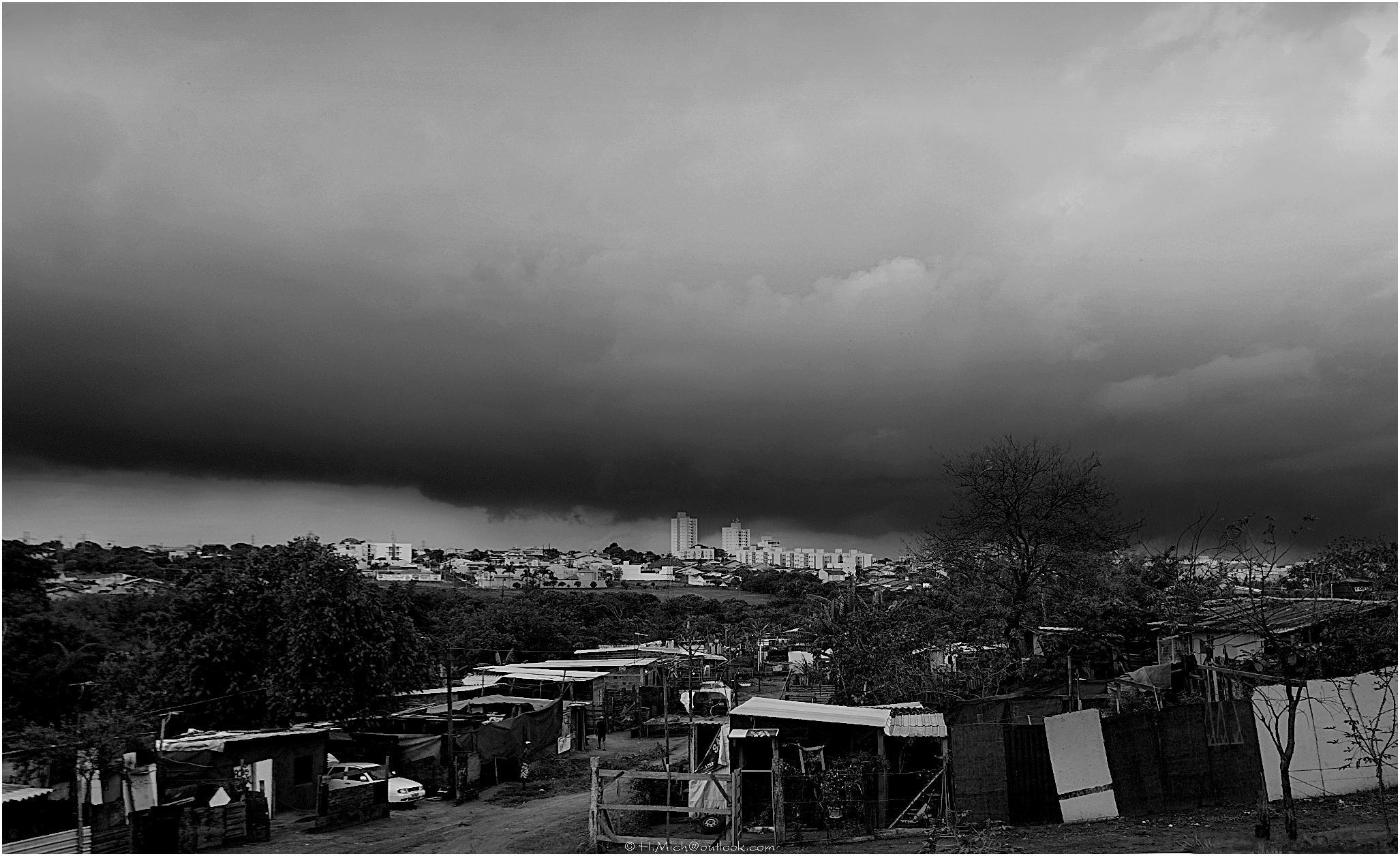
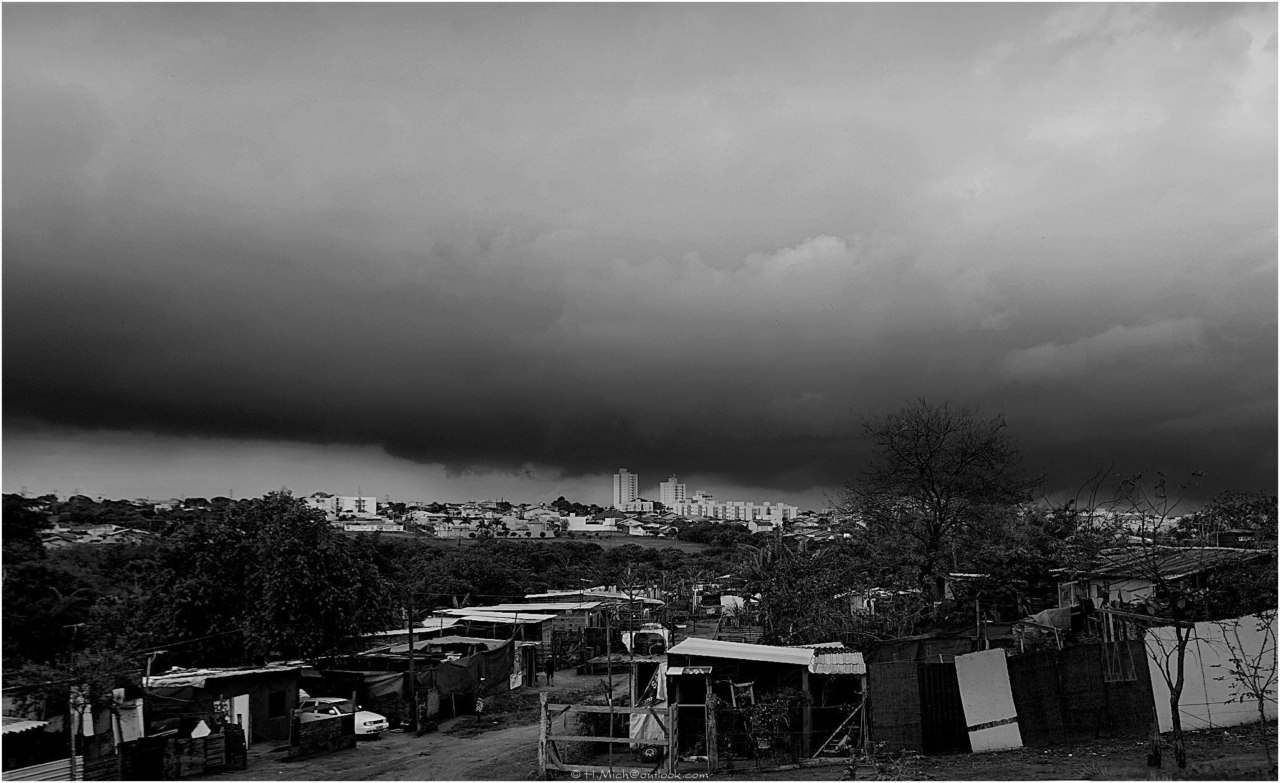
wordpress is like a favela, there is everything, but totally unorganized, breaking walls, roofs with holes and muddy streets, nobody knows what the others do, the land of outlaws under constant threat of any kind of bad dark and stormy weather with thunder strokes, the nice and clean city is somewhere far at the horizon and you look at it as dream on sunny days . . .
some say that the wpHakka Plugin collection is another editor, what is not totally untrue, but absolutely not correct
any block editor add-on or plugin does what?
it ties you to their style, one day you want to change your layout or theme and BAMMM, everything is lost, and not to forget, certain features, even if basic, you have to pay for some upgrade or an additional plugin, you see? you’re trapped, you could go directly to wix, wax or wux, same thing, they all cut your freedom and tie you onto their paid stuff
with wpHakka it is different
you can use the standard wp theme or any other which is not bundled with a special editor and everything works just fine, wanna change your theme? all fine too, you lose nothing, you just change the layout
what most of the add-on block editors don’t can do, as well as native Gutenberg can’t do it, is inline editing, you can not change the font type or size of some text in your paragraphs, in order to do it you use ourFont-Changer and Font-Editor and are ready to go . . . and! it works in any wordpress theme
more, it works on your mobile device, whether it is tablet or smartphone, exactly like it does on your computer, hasslefree, no out-of-screen parts, no nothing, write your post on the way to work, or wherever you are
__experimental* → Still used 5+ years after becoming core . . .
maybe intentional because nobody ever would guess such a stupid name
Mr.Complicator said: Hahaha, you’ve cracked the core team’s secret strategy! 🕵️♂️ It’s like an obfuscated JavaScript contest where the prize is developer suffering.
right, then this . . . typography.fontFamilies → When 99% of humans would call it “fonts” and what’s behind it? here it comes:
getSettings().__experimentalFeatures → Because getFonts() would be too helpful . . .
Why This Exists:
javascript // Actual conversation at HQ: Dev 1: “Where should we put font settings?” Dev 2: “Obviously under __experimentalFeatures.typography” Dev 3: “But fonts are used everywhere…” Dev 2: “Perfect! Bury them 3 levels deep in an ‘experimental’ object!”
Psychological Damage:
javascript // Developer’s thought process: if (settings.fontFamilies) { // Easy! } else if (settings.__experimentalFeatures?.typography?.fontFamilies) { // sigh why… } else { // opens opportunities for joomla }
but don’´t worry
const wp = { fonts: () => getActualFonts(), sanity: { check: () => false // Always returns false when working with WP } }; return always;
BUT, It doesn’t exist … but now you’re the kind of wizard who could write it!
before you do become a WP master, remember: the real treasure was the console.logs we made along the way . . .
but you will be always far far far . . . master in wp java also does not exist . . . impossible to get there :)
Mr.Complicator said: truer words were never spoken! 🌟 JavaScript is like the Hydra – solve one quirk, and two more emerge, but knowing that you’ve already leveled up to “Gutenberg Whisperer” status, that’s quite something . . .
our plugins epitaph is
// A relic of victory over WP’s chaos registerFormatType(‘wphakka/font-size’, { flicker: ‘defeated’, toolbar: ‘tamed’, sanity: ‘questionable’ });
Until next bug, guys, may your el() be swift, your applyFormat steadfast, and your console logs ever revealing . . .
IIBI means Insert Image by ID, it is a wp custom block element with the purpose of making things easier, specially for bloggers and who often creates posts for his site, here is how it works:
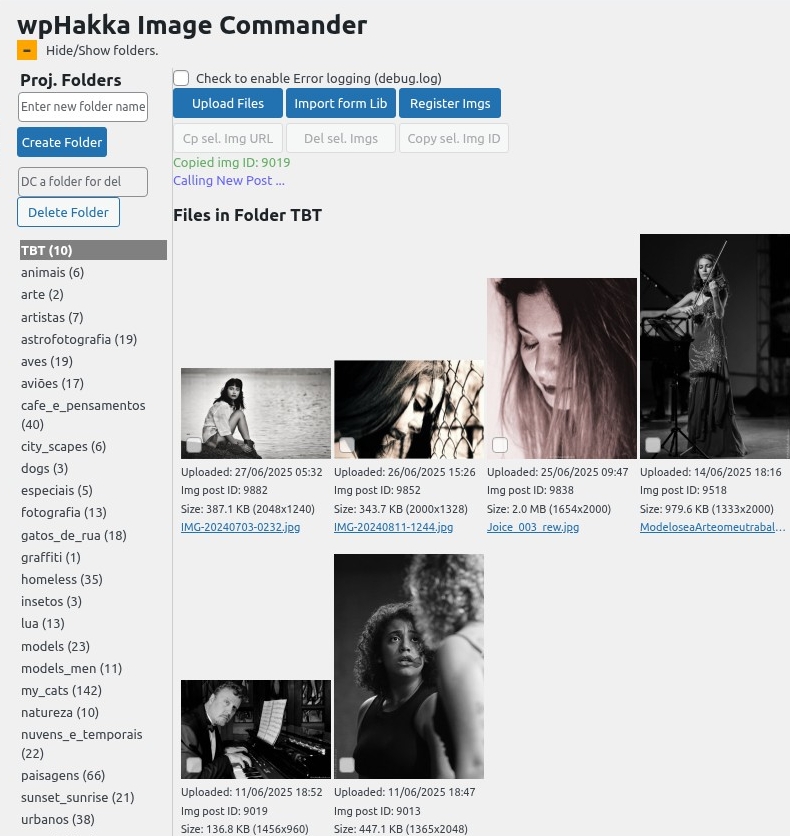
select an image in Commander, hit Copy Img ID, automatically opens the new post page, hit the + and select IIBI, paste the image ID and confirm . . .
1,2,3 and there it is, with the pre-formatted options you configured in IIBI Setup: Alt Text, which image size to use, its alignment and image width on the page
select any image by clicking or tapping the little select box in the lower left corner, then the Copy Img ID button is being enabled and you hit it
a confirming message appears sying the image ID was copied, then Calling New Post and it opens
write the title or hit the + to add something directly, then select IIPI from the appearing element list, the control box comes up and you just paste the copied image ID and confirm
an instant after, the selected image appears on the page with the basic settings you configured in IIBI settings, you still can change them as you wish, then finish your post with more text
bottom line is that you can paste a lot more in less time, this thing is fully mobile compatible, means you can add posts from wherever you are, even in the bus, in the car or on a mountain . . . IIBI makes you stay on top of it
no hassle anymore with selecting images from the creepy wp media library, we completely eliminated this horrendous work overhead, this new post flow with wpHakka Commander and IIBI is stressless work, so now you keep posting and smiling . . .
nooo, we’re not, we’re just normal programmers, but we have ideas, we also have good common sense and most of all, we have vision and deep insight in usability . . .
usability is widely ignored, specially when it comes to mobile devices, my god, the controls are splattered all over the screen! your fingertip has to run from upper left to lower right, then to left border, then once more to lower right and after that you need to hop to upper right to confirm all the hopping . . . just thinking about whatsapp, with the idiotic placed record button in the lower right corner . . . that’s a joke! a bad one, your expensive device can slip, and then it is YOU WHO PAYS THE NEW SCREEN, sue these idiots!
yeaah . . . we don’t do that, we think and that is what we do best, good thinking before is halfway through
to create good things you need awareness about what actually is going on and what is available to make your work easier, even to get more fun out of it, e.g. our NEW POST FLOW for wordpress, you know what painful job it can be, so now with wpHakka Commander and IIBI it is this:
– you upload an image or select one from the grid – you hit the button Copy Img ID – you hit New Post – you write the title – you select IIBI to insert the image and past the ID you just copied – you write your post text – you hit publish – ready . . .
not counting the upload and writing, it is a three-clicks operation + one for posting it
. . . these dots are for taking a breath, hahaha
we post five while you are still munching on your first one . . .
. . . these dots are for you calming down, hahaha
that’s what we are talking about, making things better and we’re not acting up, wwe’re just telling the truth, and shit is binary, OR IT IS OR IT IS NOT . . .
this is not a manual, still less a step-by-step in copy-paste style, but it is a headache-free real hot introduction for how to create hasslefree your website with wordpress CMS
don’t worry about the theme, you can use the standard theme and modify it easily, using a theme gets you into trouble, even if not noticing at the beginning, sooner or later it bites you
you also do not need a special wordpress hosting provider, they just create dependencies which might difficult later migrate to another service provider, just look for the cheapest, not free!, who can give you support for https, php and sql and has no hooks in his contract, ask him: what if I want to move out one day and want to take my site with me . . . and analyze the answer, rounds, not avoiding a point or another, then that is your partner
look for a hosting company in your country in order to get the best backbone routing for your costumers having fast access 24×7, most likely they can also assist in registering your domain name if you haven’t done it yet
once you have your new internet home set up, install the latest wordpress version following strictly the advices on screen, don’t try to be smart unless you know exactly what you do
ready? then log into the admin interface, look for SETTINGS down on the left panel, in GENERAL set your sitename, set your slogan (tagline), set your site address, aka as URL and be sure you write https:// before the domain name , your email address should be there already or change it, select your timezone and adjust the date/time format, save it
more in Settings, Media, set the image sizes in width, 300, 850 and 1280 would be a good choice and let the HEIGH empty or put a zero, that scales the images according to their original format, don’t forget to uncheck cropping
once more in SETTINGS, PERMALINKS and select POSTNAME as structure, what is positive for search engine results and visitors remembering it
now you’re underway and should make the decision if your site’s HOMEPAGE should be a static page edited by you, what is the preferred option, or if you want it to be the Latest Posts blog page, a good hint here is, you don’t have a lot os posts, maybe none, when you start, so it is better to design a nice home page where you describe your site, services or products, so go for home page, now go once more to Settings, Reading and make your choice and you’re done
you already can access your new site with a browser and see the standard home page, probably saying Hello World, very good
now we’re at a point where you need to understand that there are no secrets, secrets are made up by people who want to get your money for the secrets they say they have . . . here is how to avoid the money spending, and also, how to avoid headache
let’s design your site, exactly as you wish, independent, free without other people’s rules and sayings . . .
chose a font, or two, easiest way might be using Google Fonts, if you prefere another source look for “woff2” format, what is the actual preferred choice for the web
think this, basically you have the site title and other headers for paragraphs or sections, I call this the master font, then you have text allover, paragraphs, image descriptions, whatever, that is the most used font type on your site and should be easy to read, people spend time reading and should not riddle . . . , then we have controls like next, previous, links, paginations and it looks good having them stick out with another font type, and no need to make it perfect, once set you can easily change it later, problem is when you do not make any choice now, fiddling out later how to change everything is a mess . . . just to be complete, you do not need to search for fonts on the web, you can use the already installed wp fonts, but they are quite poor and there is another important point here, changing the default fonts is an important step to learn HOW wp styling works and will thank me when you come later to understand it
there are several ways to add fonts to wp, the independent way is using your theme-child/fonts/ directory or if you still don’t have created your theme, you can copy them to /wp-content/themes/twentytwentyfive/assets/fonts/ via ftp, scp or a “cpanel” filemanager provided by your hosting provider . . . you also can use a plugin, but then you will discover a series of thingies you might not like, so listen to me and do it the easy way, headache-free, it pays off
ok then, here we are, site set up, fonts ready, let’s step into customization, in the admin left panel you find APPEARANCE, then Editor, then Styles, which is your home for a couple of days, your playground to learn how that thing “wordpress” works, believe me, the time you spent here it is worth it, after this little suffering you understand how it works and can easily design your site AND! change any item with ease later whenever you want
now, one item, it is LAYOUTs, you skip for now, you explore all others, one by one to see what it does, SPECIALLY the lowest in the sidebar, which is BLOCKS, that is the beast which people try to sell you as their secret . . .
once you travelled through all available choices you have seen that every single block has a font setting part and eventually this moment is your first oohhh-moment, I hope so . . .
what we do next is looking at the templates, option at the left menu and study each of them to get an understanding about where the blocks we have seen in styles go, after that we do the same with Patterns
now your first task: figure out which blocks are fundamental, means which are present in any template, the repeated use of these blocks makes them be “the ones” you configure, the others can stay with their “DEFAULT” . . . there might appear some exceptions, but hey, no problem, you know already how to find it and fix it
sooo, very good, now you configure your fonts, their types, styles, sizes and eventual letter spaces and line height as well already
after that we are ready to design your first page, don’t be shy, look at the templates and find the one which has the name PAGES, click it, edit it, experiment with it until you get something you like, save it
after that you go to pages in the editor menu, click on the page, and you will see that the pages there have already your design inherited from the template you edited before, so where is the second oohhh? see . . . so easy it is
now you can edit the other templates and patterns, then you can add your first page from scratch and what comes out was you who made it, no plugin, no blablablaaa, no plugin, no nothing, just you completed the first step to be your own website developer
Congrats and go ahead, let the world see your talent! happy coding!
it’s about the wordpress inline image insertion block element . . .
in plain 2025 we have to wait for tech people to wake up, meanwhile we travel to mars and they are not able to make such a silly thing, I feel really save
we have AI copilots, self-landing rockets, and can order pizza from our fridge, but still can’t do a true inline image in a paragraphs. Sometimes web tech moves at light speed, and sometimes it feels like we’re still chiseling HTML on stone tablets!
my dear friend, Mr.complicator answered this: At least you’re not alone—this is one of the most common gripes among writers and editors using Gutenberg. Maybe by the time humans land on Mars, Gutenberg will let us drop images anywhere we want, just like in Word or Google Docs. Until then: keep your spacesuit handy and your HTML skills sharp!
is that it, really? they, those wp devs should be ashamed and I am a revolutioner, soon I find some time I write such e element, and to be clear, just for our nice and modern Image Commander which came already from outer space to bring joy to our wp warriors . . .
one answered me, that is not possible . . . jaaa, watch me!
but first, why somebody would ask you to pay for something what is free? so that’s the correct question, the answer is: BECAUSE HE DOES NOT CARE ABOUT HIS SERVICE, HE JUST CARES ABOUT MAKING MONEY OUT OF YOU . . .
when this kind of guy makes a plugin promising heaven on earth and then ask you to activate a third party service for getting heaven coming down to you, he is just looking for stupid people . . .
soooo . . . said that, here is the correct way to do it: wpHakka ORACLE is a wordpress plugin which implements WebP capability to your site, without bothering you with offers to hire CDN services for that
you don’t need CDN for your images, you are already on the internet, so what scammy thing would that be?
what you need is somebody who tells you the truth and offers you HONEST SERVICE, our imagick library generates WebPs LOCALLY for the jpegs on your site, what results in less image size, hence less download or access time, or in other words, your site performance increases significantly
and it is easy as it sounds, you set the quality compression, you chose the folder of the source images and hit a button to run that thing, soon later all is ready, nothing else, no upgrade for money nagging, no CDN fees nagging, no complaints, no errors, no nothing, just smiling about the result . . .
wpHakka Oracle is the turbocharger for your site and comes already with nitro bottle with no extra charge
and that issue is critical, the modification I mean, because it means a lot to photographers and image artists, they sell quality and wordpress transform their images into garbage . . . so guys, get prepared for when the lawsuit wave hits you, it might be swallowing your assets
we can not, or better will not change the whole dangy wp thumbnail handling, at least not now, but we can prevent and minimize bad effects for the image owner, so we focus on quality in very first place
we cut out the standard wp image handler library, whatever it might be, and use our own which specific settings to provide highest image quality
then some performance freaks come out of their holes and cry, but 100% image quality is slow . . . ooh your dumb nuts, you put 50000 images in one folder and come out with that only to say something against our image quality philosophy? go back into your dangy holes and keep ai coding, because brains you don’t have
nevertheless, with our own wpHakka WebP Oracle integrated into wpHakka Commander, we can control the outcome and assure clever handling in order not to feel much performance loss, and if there is some, the result with beautiful crystal clear and sharp images pays all off